 CapiBrowser
· 4 min read
Earn Screen Time: A Better Way to Manage Kids’ Screen Time
What if kids could earn extra screen time instead of constantly asking for it? Learn how parents can turn useful activities into screen time rewards.
Earn Screen Time: A Better Way to Manage Kids’ Screen Time
“Can I have 10 more minutes?”
If you have kids, you’ve probably heard this question many times. Screen time can easily turn into a daily negotiation: a child wants more time, a parent has already set a limit, and suddenly everyone is arguing about five extra minutes.
What if kids could earn extra screen time instead?
Instead of asking for more time every time they want it, children can earn it through activities their parents choose. Parents still set the rules, while kids get some control over when they use their extra time.
What Is Earned Screen Time?
Earned screen time is a system where children receive additional screen time as a reward for completing certain activities.
For example:
- 20 minutes of reading → 10 minutes of entertainment
- Completing a household task → extra screen time
- Watching useful content → points that can be exchanged for fun
The exact rules are up to each family. The important part is that extra screen time is earned rather than negotiated.
Earn Screen Time Through Useful Activities
Extra screen time doesn’t have to be connected only to chores.
Some families might reward:
- Reading
- Exercise
- Creative activities
- Household responsibilities
- Learning
And there’s another interesting option: using useful screen time to earn entertainment screen time.
For example, a child could watch a science video, learn about animals, or explore an educational YouTube channel and earn rewards they can later use for entertainment.
This creates a simple principle: Learn → Earn → Have Fun
Instead of treating all screen time as the same, parents can create a system where useful content comes before entertainment.
How CapiBrowser Lets Kids Earn Extra Screen Time
This is the idea behind Gems in CapiBrowser.
Parents can choose which apps their children are allowed to unlock with Gems. For example, a parent might allow Roblox but limit how much time a child can spend playing it.
The child can then earn Gems through useful activities and use those Gems to unlock additional time in approved apps.
The process is simple:
1. Parents choose the apps. Only apps approved by the parent can be unlocked with Gems. 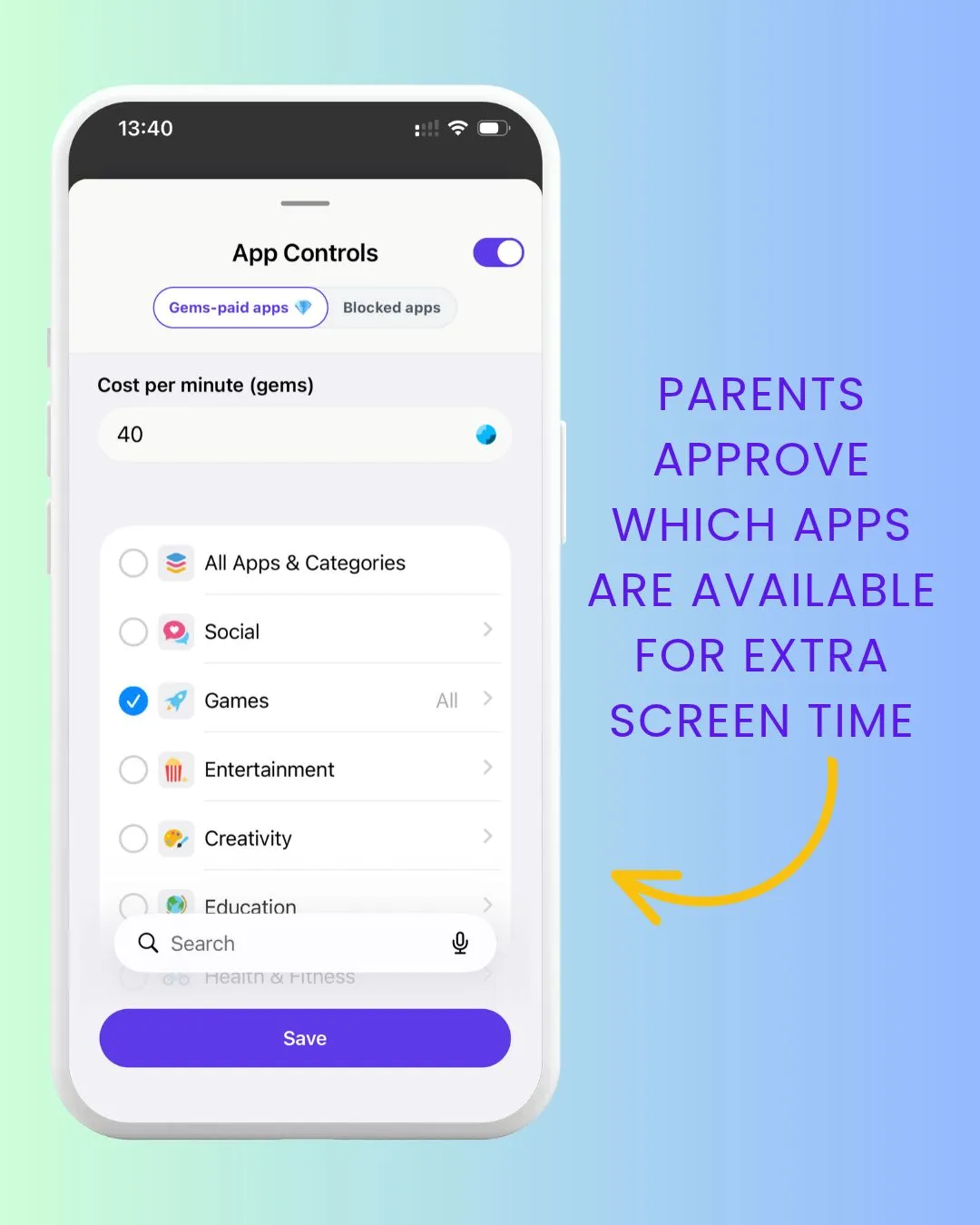
2. Kids earn Gems. Children earn Gems through useful activities (for example, watching useful YouTube channels about science or animals). 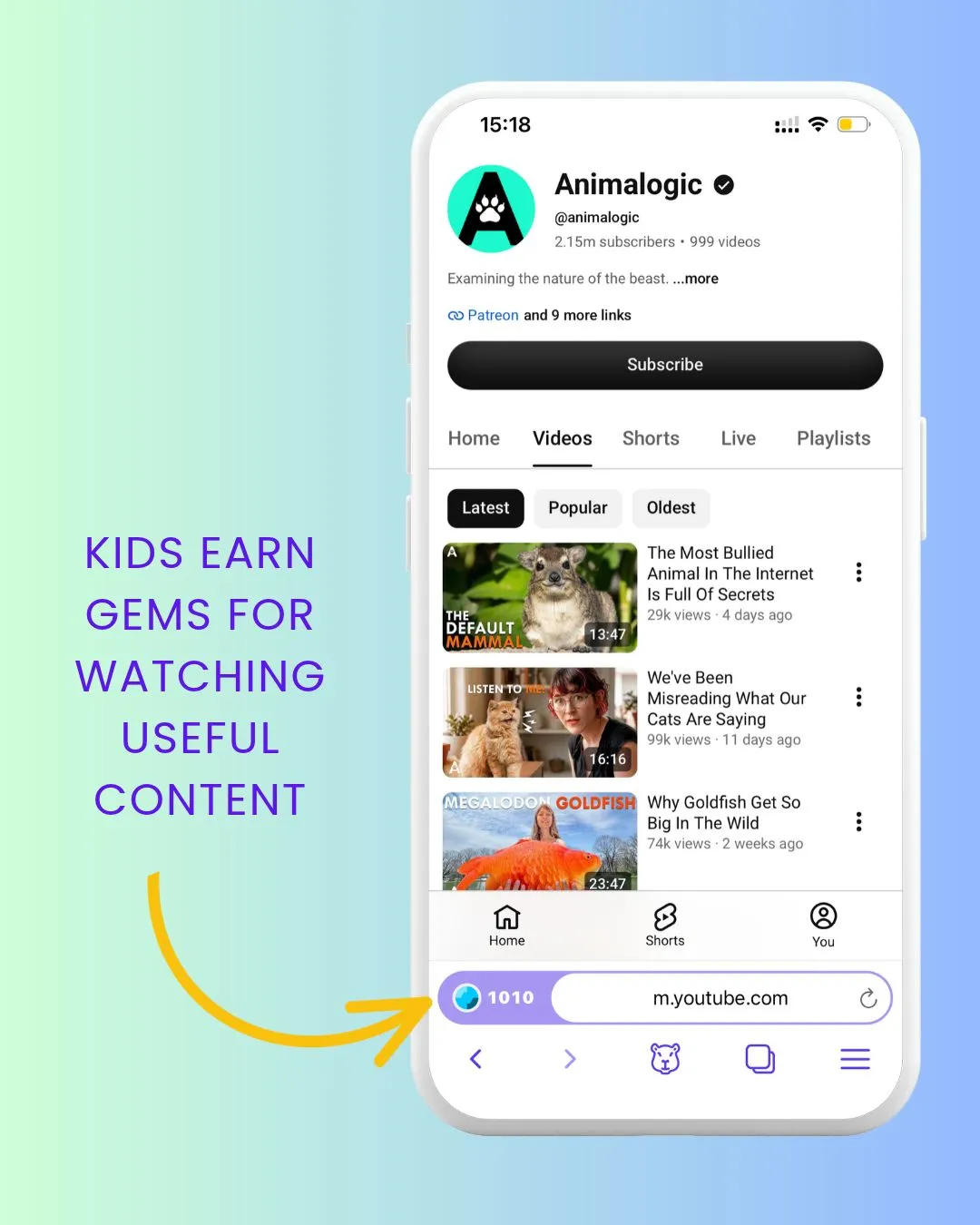
3. Kids spend their Gems. They can exchange their Gems for additional time in the apps their parents have approved. 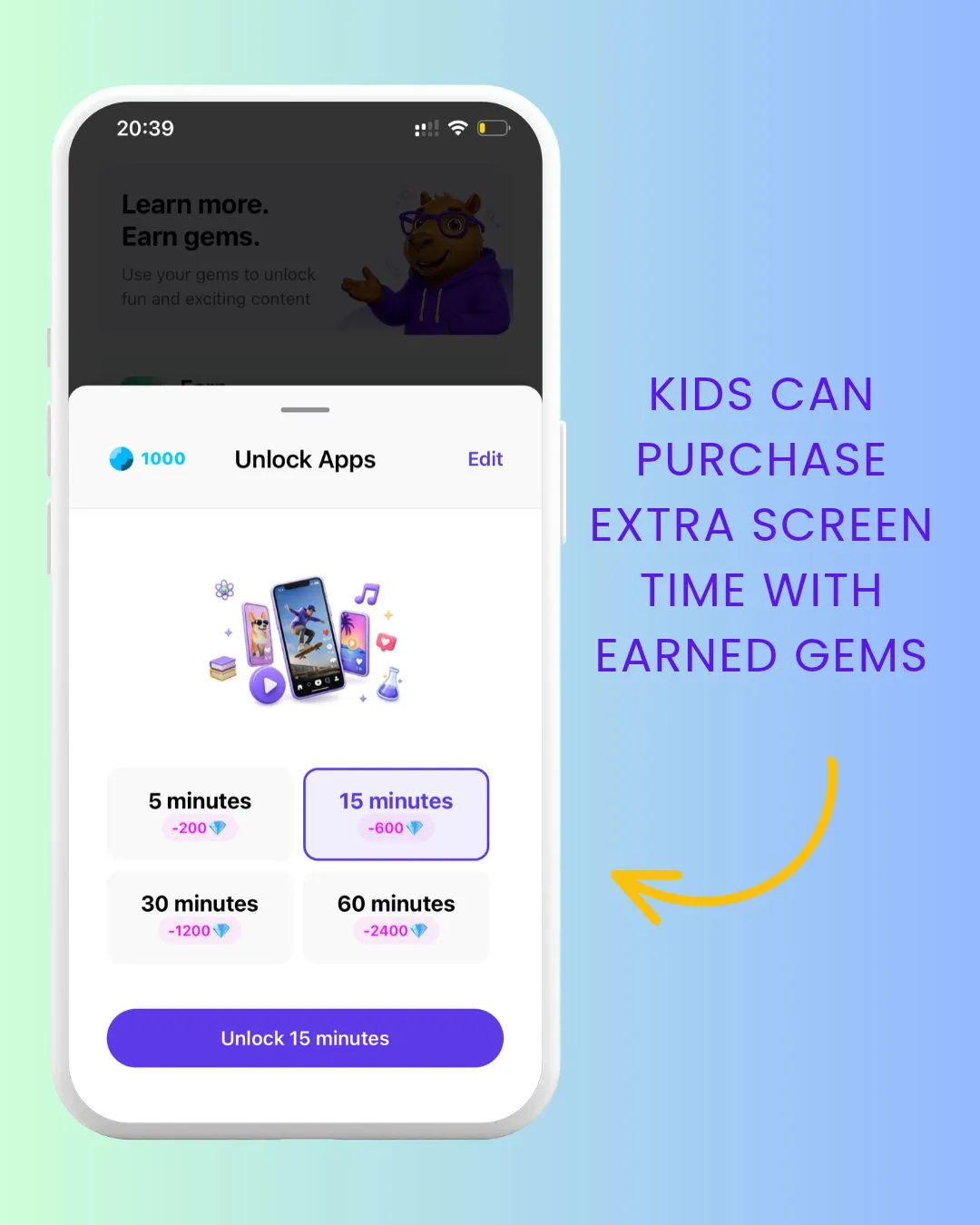
4. Parents remain in control. Gems don’t give children access to apps that haven’t been approved. Parents decide which apps can be unlocked and set the rules for the system.
Kids Can Save Gems for Later
One of the benefits of using Gems instead of giving extra minutes immediately is that kids can save them. For example, a child might earn Gems during the school week and save them for the weekend when their friends are playing Roblox. This turns extra screen time into something they can plan for rather than something they constantly ask for.
It also introduces a simple lesson: Save now. Spend later.
How Much Extra Screen Time Should Kids Earn?
There isn’t one perfect ratio for every family. One family might decide that 30 minutes of useful content earns 15 minutes of entertainment. Another might choose a different balance. The important thing is to make the rules clear and predictable.
A simple starting point could be: 3 units of useful activity → 1 unit of entertainment
Parents can then adjust the ratio based on their child’s age, routine, and needs.
Screen Time Doesn’t Have to Be All or Nothing
Managing screen time doesn’t have to mean constantly taking devices away or saying no to extra minutes. Parents can still set limits while giving children some responsibility within those limits.
With an earned screen time system, kids can learn that screen time is something they can manage, save, and spend — not just something they have to fight with their parents about.
That’s the idea behind CapiBrowser’s Gems system: Learn first. Earn Gems. Then have fun.
The goal isn’t to give kids more screen time. It’s to make the screen time they do have more intentional.
👉 Download CapiBrowser and stop daily battles about screen time.